Play on Linux

"Linux is the world,Linux is freedom... blah blah blah". Everyone has heard such things and we keep hearing them. Even though linux has grown from a mere console to a user friendly interface in a short time frame, lets accept Linux is still in the growing phase. Its gonna take some time before the doors and windows are gonna shut and every house will have a penguin in their computers.


I agree when im talking about linux, initially its not for normal people. Its for science, using sophisticated tools, programming etc... But since the inception of Ubuntu, the attitude towards linux has changed. It has shown the world that linux is for everyone.

One of the most frustrating feature of linux is there are not many games that support the OS. Mostly because the windows has the market of household desktops still under its captivation and most of the games are developed considering windows in mind. I know we get many bundled up games with linux distros, but are they enough? What about the games like Counter strike, Need For Speed etc? Do linux have support for them? This is what i went on to explore... and thats when i stumbled upon this site... PlayonLinux
Its the software that can help you to install games and apps made for windows... Though it internally uses Wine.. it has a list of softwares and games that it supports and guarantee's that it can work on linux... I straight away installed this and yes.. it truly supports few of my favorite games which i was addicted on windows...

I'm yet to explore more on this.. Go ahead explore...PlayonLinux


Read More...

Cracking the root password III

Long time back I had written about how to change the root user password before on ubuntu

But the method that i had described before is obsolete now... With ubuntu evolving, today that method in my previous post wont work.

I was trying to install windows 7 over the existing ubuntu and as you know the windows bootloader overwrites the boot sector and thus the grub got wiped out. Wanting to fix the grub, i logged in as a live user session after long time. But to my surprise.. i couldn't change the root user password as i mentioned in my previous post. Hence i went searching for the new way to change the root password because without the root password i wont be able to run install grub ...and other commands.

finally i found a more simpler way to crack this and reset the password.

if you run the command below from the terminal

:~$ sudo passwd root

it does the job, it asks for the new password and you can type in the key patterns you want and use it as the root user password. This should work on ubuntu 9.10 and the after flavors.

Read More...

SystemCheckup without an Antivirus

Last week, i was called to fix a machine which had XP installed in it. As usual, i tried to look into the symptoms. The behavior i observed was, whenever i tried to execute a shortcut( or Double click a short cut) to open an application, nothing happens. None of the applications opened.
Surely i figured out, that the system was affected with some kinda virus. And when i didn't want to continue looking at the symptoms of that virus and when i came to know that data backup was not needed, i just went ahead with a clean reinstall of the Windows.

But the cool part which i figured out later is, how to identify if our executable( ie .exe ) files are affected with a virus.Because some of the apps act weirdly sometimes.It could be a failure in the app code, that might cause the app to stop working or it could be the virus.And usually most of the viruses target the .exe files on your system.

Here is an easy way to find out, if your system is really affected with that kinda virus or not.
1. Open Start -> Run
2. Type in cmd and press 'Enter' ( go to the command prompt )
3. goto your windows folder.
Mostly this action need you to key in the following commands

- cd \ 'press enter'
- cd windows or cd winnt 'press enter'
- cd system32 'press enter'
- setup 'press enter'

If you get a popup window saying " Please go to Control Panel to install and configure system components" then your .exe files are not affected and you can be sure that your system is safely away from those harmful viruses.

If you get something else... or nothing pops up... then you better get your AntiVirus updated.
This method can also be used to check your computer, even without an antivirus available.

Read More...

Cloud VS Restaurant

Cloud Computing is a hot topic in todays IT forums, talks and research.I wanted to understand what a cloud can be from an outsiders point of view. So i went through few blogs and webpages to know what really is this Cloud. Even though i got few points, few were still inscrutable and undecipherable.
I would like to present here a small distinguishing or rather similarities between the Clouds and Restaurants here in India.


Read More...

Turn Off Desktop Cleanup Warning in XP

Windows xp always shows this ballon popup, which suggest you for a desktop cleanup. When you run this cleanup wizard, it removes your unused desktop shortcuts or files and places them into a unused folder.


But most of the times, this balloon is irritating and i want my desktop to be like the way it is..
I have a quick fix for this...
1.Right Click on the empty space on your desktop,
2.Goto> Properties
3. select the desktop tab
4. Click on the Customize Desktop button
5. Under General tab you will be able to see desktop cleanup
6. Uncheck the Run Desktop Cleanup Wizard every 60 days checkbox...
7. Click ok>Apply>ok and you are done..
8. Your windows will not complain to you anymore about your desktop

Read More...

Search Forums with Omgili, BoardReader and BoardTracker

We all know that forums are a great place to get some awesome stuff; for FREE! We get softwares, games, OS - all cracked! We also get ebooks, music, videos, tv series and loads of things. However, almost all forums need registrations. And it's kinda bugging to register to many sites because of high chances of forgetting the passwords or even the sites sometimes. It's better to have a forum search engine.Omgili, BoardTracker and BoardReader are 3 forum search engines that I came across. These sites take your query and search over 40,000+ message boards to give you a consolidated result. Each of these results would take you directly to the corresponding post, so this would allow you to access the pages without registering.


Of the 3 sites, I find Omgili the most useful since the results are totally customizable as in you can set the criteria for timeframe as past month, past 3 months, and so on and you can also set the minimum number of replies, minimum number of discussing users as a criteria. It also shows you a buzz graph about the daily activity and a list of links referring to related forums. The other 2 sites have more or less the same feature.

Read More...

Use keyboard to browse faster

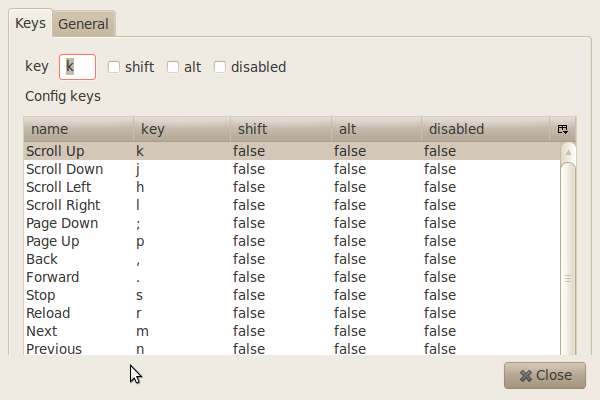
This post is for all those people who hate mice. Well, I'm talking about a computer mouse. Anyway, I HATE to use a mouse and I'm better off with keyboard. So if you are one of those who like using just a keyboard while browsing, then Surfkeys is for you. Surfkeys is a Firefox Addon which minimizes the use of mouse to a great extent. There are pre-defined shortcuts, which can be customized, for different functions like
scrolling a page, opening and closing of a tab, etc. This would be a great help for those who use a laptop. All the basic functions can be done easily without taking your hand off the keyboard, instead of holding a mouse and go pointing-and-clicking. Some of the shortcuts for performing such activities are:

j - scroll a page down
k - scroll a page up
p - page up
; - page down
u - previous tab
o - next tab
g - goto address bar
d - goto search bar
y - closes current tab
w - closes the window

These are some of the shortcuts. There are several others that come in handy. Give it a try.

Read More...

Check invisible contacts on Yahoo!

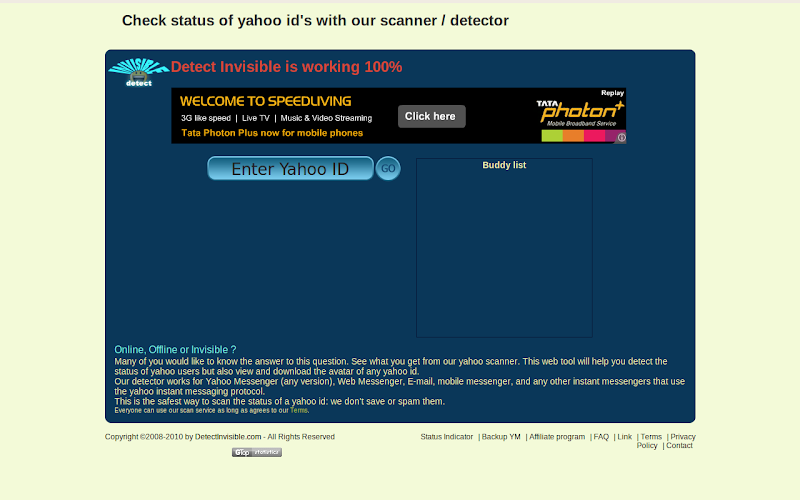
Ever wanted to check which of your friends are hiding from you on yahoo chat? Wanted to check if s/he is invisible? DetectInvisible does just that. Type the userid you want to check and the site gives you the status of the user - online, offline, invisible. You can send a message, call the ID, view profile or even save the avatar.

Read More...

Know more about a website

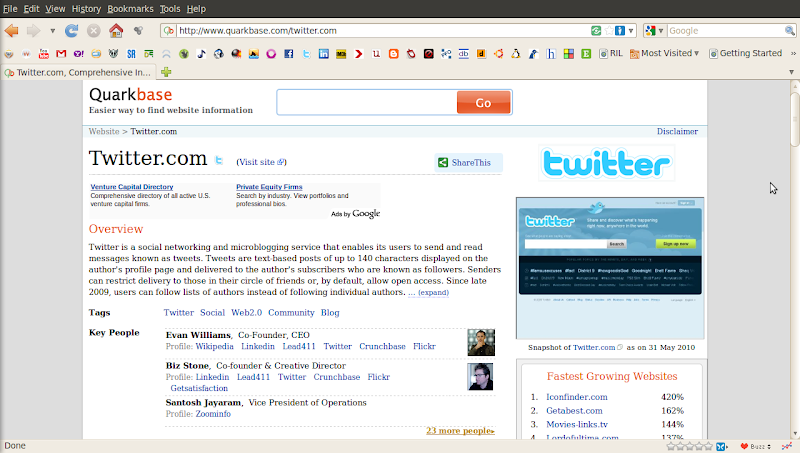
There's now an easier way to find information about a website. With QuarkBase, you can find everything about a website. Hit a search and you'll get details about it like it's founder/co-founder, internet traffic, company, location (with a Google Map), address, number of visitors, etc. You can also find stuff relating to pagerank, which countries the website is famous in, it's social popularity, list of similar sites and a screenshot of the website too. Well, screenshot sounds obvious when you're getting so much of info.

Read More...

Use a disposable Email address to keep away the SPAM!

We give our E-mail IDs to every website we register. This is given so that we receive a confirmation E-mail from the website which by clicking would complete the registration. As a return gift, our mailboxes are flooded with advertisements, offers and more such (junk)mails. This can be a pain in the neck.

Solution: Use a disposable E-mail ID.

10MinuteMail is a website where you can get a disposable E-mail ID which would last for 10 minutes. Along with generating email IDs, it also has an inbox wherein you can receive your confirmation mails. And still, if you feel that 10 minutes isn't sufficient, you can ask for 10 more minutes. You can use this time to complete your registrations. And you'll never be bothered by the site ever again!

Read More...

Get Quick Facts from FacteryLabs

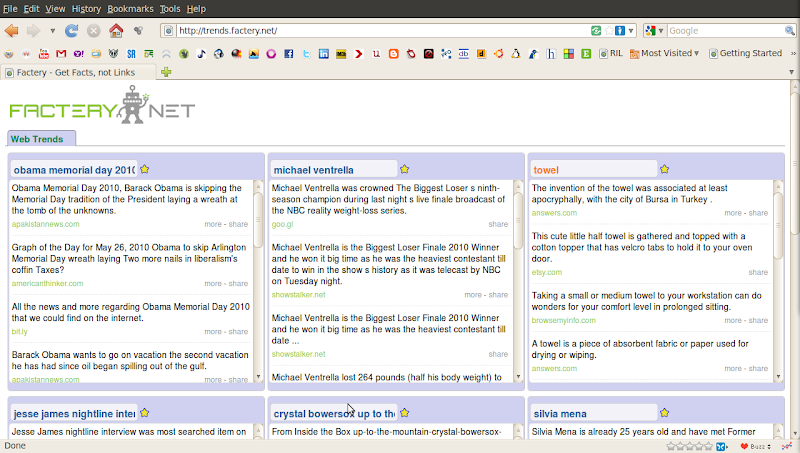
If you're looking for quick facts about almost anything, then FacteryLabs would be it. Hit a search, you get the facts. These facts are fetched from various sites like Wikipedia, NYTimes, Amazon, etc. It has a big box on the left where you can do general searches. It also has 9 smaller boxes which are basically used to mark as favourites, so that you can track them. While you mark some as favourites, the other boxes refresh their contents with new topics. You can read the whole story of each of the results and you can also share this on Twitter and Facebook. FacteryLabs has different categories like Trends, Sports, Tech, etc. so you can check the stuff related to that category.

Read More...

Convert a Webpage into a PDF

As I browse through a lot of sites everyday I come across some very interesting articles, some of which I want to save for future use. Some articles like interviews, how-to's, etc. are always worth many reads. Or probably you don't have access to the internet all the time. Well, I rather like reading a PDF than a webpage. So I came across this site which converts a URL to a PDF. PdfMyUrl is a dead simple tool which converts a webpage into a pdf file and downloads it to your system with just a click of a button. You can also try a similar site called Pdfonfly. But I find PdfMyUrl much simpler.

Read More...

Real-time Search from multiple websites with Soovle

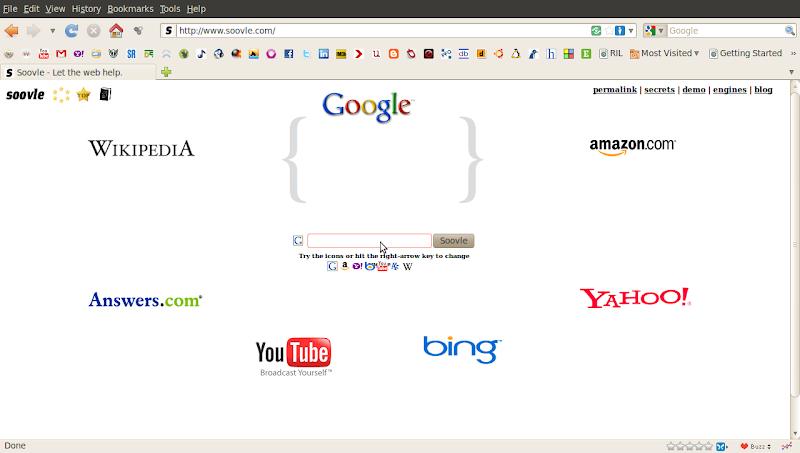
We all use search engines everyday. We use Google for almost everything. I don't know how many use Bing. I'm quite sure nobody uses Yahoo. We use Wikipedia for information regarding various topics, history, concepts, etc., Youtube for videos, movie clips and stuff. Some use Amazon for books and shopping. Now what if all these search engines combined to one and gave the results? And what if this search happens real-time? That's what Soovle does. Soovle is a search which has 7 different search engines clubbed together. The search engine logos reside around a central search box. As a search query is typed, a real-time search begins on each of these search engines and the results are displayed.

Read More...

Set Beautiful Custom Google Homepages with Homeoogle and Favoorit


Bored with the plain old white color Google Homepage? Now you can customize this page with some AWESOME backgrounds. Homeoogle is the site which lets you customize your google homepage. The site has some beautiful backgrounds and you can set them as your homepage. And in case you don't find what you are looking for, then you can request it. So choose your background and beautify your homepage.


While Homeoogle does this, Favoorit takes a step further. Favoorit not only offers you a wide variety of beautiful, elegant Google homepages like Homeoogle, but also lets you create custom themes. Along with this, you can also set a list of your favorite sites on your homepage.

Read More...

Online Compilers


Ever had a code but no compiler to compile it? Well, it may so happen that sometimes we get a piece of code which we want to try out but we don't have the respective compiler installed in our system. This may be because we are at workplace or browsing centre or any such place where we either have restricted access to install the compilers or we're too lazy to install.


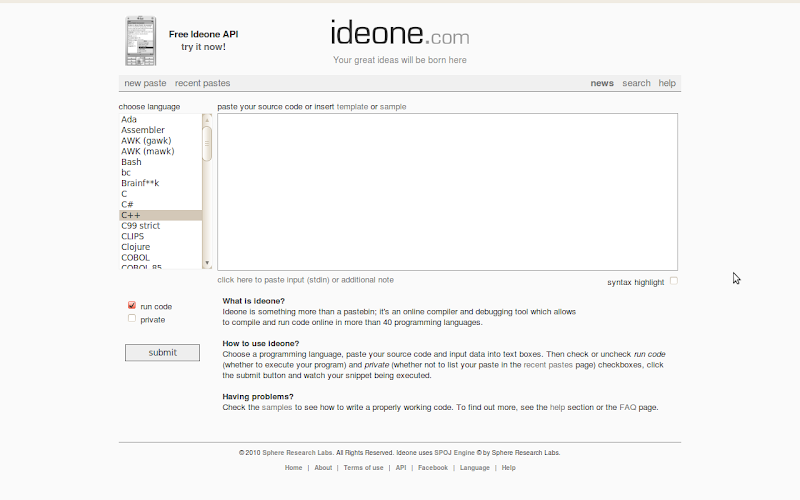
Anyway, IdeOne is one such website that you can use for compiling a code. It supports a hell lot of languages and you can compile them online and view the output. No hassles; all you need to do is paste the piece of code in the text box and click on Run. You'll get the output. Codepad is another site with similar functionality, but the difference is that Codepad doesn't support as many languages as IdeOne does.

Read More...

The Gates Notes


Yes. As you rightly guessed, it's a website created by Bill Gates! After his retirement from Microsoft, Bill Gates thought of sharing with the world, his thoughts and ideas he was working on. And this, as he thought, could be effectively done through a website.

The Gates Notes talks about what Bill Gates is thinking about, what he is learning and other interesting conversations. It is a beautiful site, nicely designed with a lot of information. One of the things that caught my attention is the "Infrequently Asked Questions" section. Here, Bill talks about the Non-Microsoft topics and expresses his views. The best thing I like about this site is that you can mail Bill Gates regarding your queries and he answers. It may also be featured on the website. Never tried it though; but worth a shot.

Read More...

FeedSquare for Google chrome


These days i'm using more of google chrome than any other browser.
I'm a regular user of google Reader. Today i came across an extension in google chrome which provides you with a new artistic user interface for your google reader.
Once you install this your google reader can be viewed in a beautifully arranged colorful squares like the screen shot i have attached.Some of the feed posts will also have an image preview.The best feature of this, which i liked is the categories on your google reader are listed horizontally above all the squares.If you click on one of the category, only the feeds or squares belonging to the category will highlight itself.Once you click on the feeds that you wanna read. The feeds from that website will show up horizontally arranged below.You can choose to read anyone of them or there are options to mark them all read.
You can also read all your buddies shared items,tag them etc. You can share items, you can change the background look from the option on the below right corner of the page. Currently you can choose either light or dark background.
This gives you a new refreshing look for the old plain list like look of the google reader.The link is feedsquare. why dont you give it a try.

Read More...

Read it Later with Instapaper

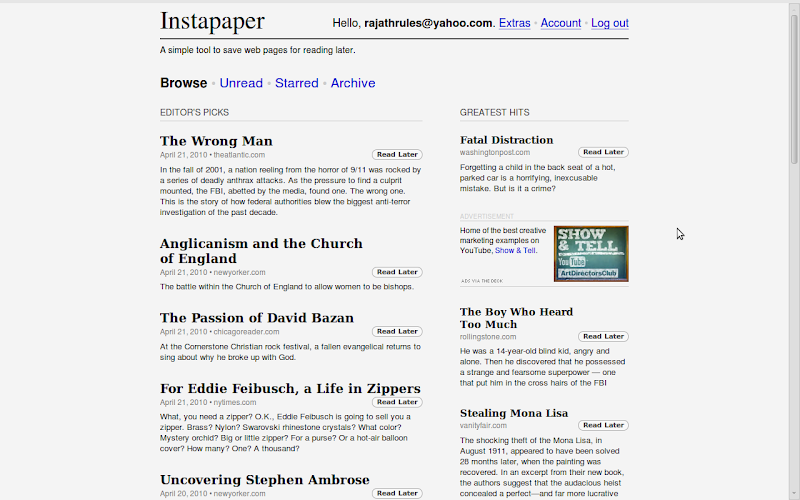
We come across several articles as we browse through different sites everyday. Some of the articles may be interesting, but we may not find time to read it then and there. Saving the web pages is one option. But that would add to the clutter in your system. You can instead use Instapaper wherein you can store the links you want to view later. Once the links that you've stored here are visited, they're removed from the list of unread items. However, none of the links are lost, you can find them in the archive folder. There's also an option to view the articles in a plain text format. Instapaper has a dead simple interface and it helps you manage your unread articles in an easier and a much better way.

Read More...

Embedded Translator in Chrome

I'm starting to like Google Chrome these days...Today i discovered a new feature of Google chrome.. thats the embedded Google Translator which is available with the latest version of chrome browser.


Whenever you load a page which is not in the default language of the browser,a little bar will popup in the top of the browser just below the tab-bar in the window.
This will ask you for translating the current page in view to the default language.. it also shows to you, the language which the page is in.

Why dont you try it yourself .. http://www.desorganizadosanonimos.com/post/Organizacao-Total-Categorizacao-Pessoal.aspx. Click on the above link in your chrome browser.

If you are multilingual and you wanna read the text in its original scripts .. then you can disable the auto translator.

Disabling the translation bar:
  • Select the Tools tools menumenu
  • Select Options
  • Select Under the Hood tab
  • Uncheck the Offer to translate pages that aren't in the language i read checkbox
This will completely disable the autotranslate feature.
But there are other options. When you open other language pages.. from the options on the translate bar you can choose Never to translate the site or Never to translate the language. So next time you visit this site, the browser wont offer to translate the page.


Read More...

6 Social Networking Extensions for Google Chrome

Chrome is an open source browser released by the internet giant Google in 2008.From the Netscape to this day the browsers have always played a vital role in the way to access the web. Browser has mostly been the integral component or a gateway to the world of internet .


With IE, Mozilla Firefox, Thunderbird, Opera and many more running in the race, the chrome has made its own mark in the user arena. With its most simplistic User interface and the minimal number of options and with my own experience i would like to say, chrome has evolved to be one of the fastest browsers today.

Social networking is an integral part of todays individual who are affiliated to the internet. It may be to keep in touch with your school friend or discussing the hot topics happening around or planning a new project or a party at your college its all happening on the networking sites.You decide which movie to go on the weekend, decide which book to read, discuss sports, current affairs etc... Social networks are the platform to express oneself and present it to the world in the way you want it to be.

Even though i'm a hardcore fan of Mozilla, i started using chrome. Mozilla has millions of plugins, which can be installed with the browser and with just a click, i can access all my friends updates on the social network sites..
Similarly in chrome there are extensions for few of my favorite networking sites...Let me start with the extension for

The extension called Facebook for chrome is just the thing i was looking for.I can directly access my wall, friends updates, other notifications.Just go to the link above and click on install and its done.. You dont have to restart the browser like in Mozilla which requires a restart after installing a plugin.


'Myspace-A place for friends' being the second in the race of social networks, the chrome extension alsois titled Myspace for chrome.This allows me to access to my profile, mail inbox, my pictures, friends status etc.


LinkedIn is the business social networking site. Here you can find the CEO's of biggest firms to the employee of a small organization. You can actually recommend people for a job, upload your education details, work experiences etc.The extension available for chrome doesn't allow you to do all of the above.. but it can help you to be updated with the news on linkedIn.You don't have to be logged in to check the updates..rather you just have to fill in the feed URL for your profile and it will get the feed whenever there is an update.


Orkut is similar to the social networking sites like facebook and myspace. you can add your friends and share your pictures etc.The chrome extension for ORKUT can give you access to your scraps, videos, pictures etc with just a click.


Even though Twitter cannot be claimed as a complete social networking site, but you can share you ideas with your followers in a message of just 180 characters.This is just the right place to share your links and other messages which you want your followers to know. With the name Chromed Bird the extension allows you to tweet, read your friends tweets, reply or share or retweet the same.

With all the Buzz happening around social networks, Google didn't wanna be left behind and hence they buzzed off with this new twitterlike application which comes with your gmail. This is again the place where you can actually send in messages to your Friends and share links.And with chrome buzz you can read the buzzing from your friends.. but i couldn't find a way to buzz back to my friends...The only disadvantage is you need to have a gmail account to get access to google buzz. So this one is only for the Google community.


With all the above extensions installed on my chrome browser, i can access my friends with just a single click and update them about anything i want to say or anything interesting happening around.The best thing i like about the extensions in chrome is that it doesn't require a browser restart unlike in Mozilla where it asks for the restart whenever you install a plugin.

Read More...

 
^ Scroll to Top