Cloud Computing is a hot topic in todays IT forums, talks and research.I wanted to understand what a cloud can be from an outsiders point of view. So i went through few blogs and webpages to know what really is this Cloud. Even though i got few points, few were still inscrutable and undecipherable.
I would like to present here a small distinguishing or rather similarities between the Clouds and Restaurants here in India.
Showing posts with label Web Stuffs. Show all posts
Showing posts with label Web Stuffs. Show all posts
Cloud VS Restaurant


Search Forums with Omgili, BoardReader and BoardTracker
We all know that forums are a great place to get some awesome stuff; for FREE! We get softwares, games, OS - all cracked! We also get ebooks, music, videos, tv series and loads of things. However, almost all forums need registrations. And it's kinda bugging to register to many sites because of high chances of forgetting the passwords or even the sites sometimes. It's better to have a forum search engine.Omgili, BoardTracker and BoardReader are 3 forum search engines that I came across. These sites take your query and search over 40,000+ message boards to give you a consolidated result. Each of these results would take you directly to the corresponding post, so this would allow you to access the pages without registering.


Of the 3 sites, I find Omgili the most useful since the results are totally customizable as in you can set the criteria for timeframe as past month, past 3 months, and so on and you can also set the minimum number of replies, minimum number of discussing users as a criteria. It also shows you a buzz graph about the daily activity and a list of links referring to related forums. The other 2 sites have more or less the same feature.
Check invisible contacts on Yahoo!
Ever wanted to check which of your friends are 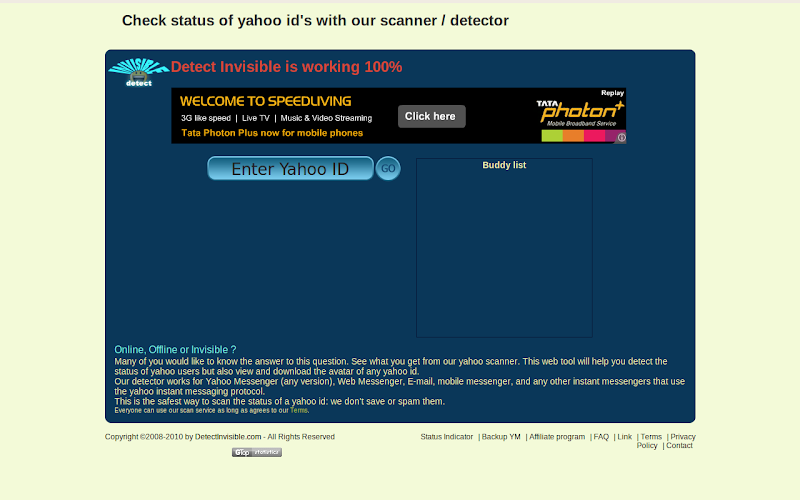 hiding from you on yahoo chat? Wanted to check if s/he is invisible? DetectInvisible does just that. Type the userid you want to check and the site gives you the status of the user - online, offline, invisible. You can send a message, call the ID, view profile or even save the avatar.
hiding from you on yahoo chat? Wanted to check if s/he is invisible? DetectInvisible does just that. Type the userid you want to check and the site gives you the status of the user - online, offline, invisible. You can send a message, call the ID, view profile or even save the avatar.
Know more about a website
There's now an easier way to find information about a website. With 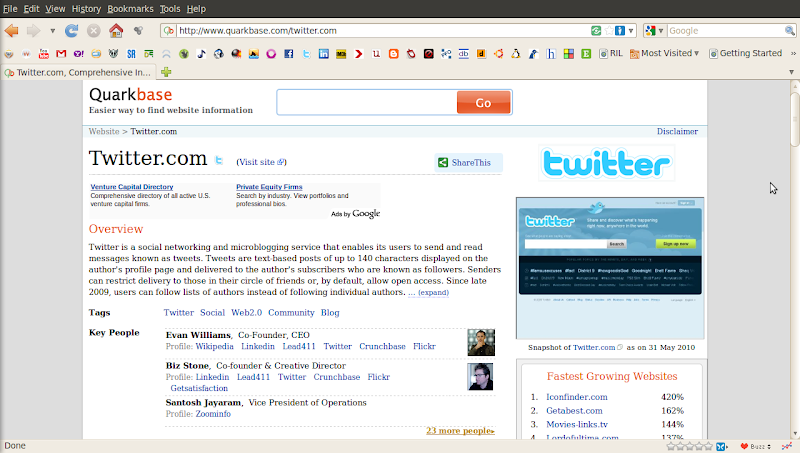 QuarkBase, you can find everything about a website. Hit a search and you'll get details about it like it's founder/co-founder, internet traffic, company, location (with a Google Map), address, number of visitors, etc. You can also find stuff relating to pagerank, which countries the website is famous in, it's social popularity, list of similar sites and a screenshot of the website too. Well, screenshot sounds obvious when you're getting so much of info.
QuarkBase, you can find everything about a website. Hit a search and you'll get details about it like it's founder/co-founder, internet traffic, company, location (with a Google Map), address, number of visitors, etc. You can also find stuff relating to pagerank, which countries the website is famous in, it's social popularity, list of similar sites and a screenshot of the website too. Well, screenshot sounds obvious when you're getting so much of info.
Use a disposable Email address to keep away the SPAM!
We give our E-mail IDs to every website we register. This is given so that we receive a confirmation E-mail  from the website which by clicking would complete the registration. As a return gift, our mailboxes are flooded with advertisements, offers and more such (junk)mails. This can be a pain in the neck.
Solution: Use a disposable E-mail ID.
10MinuteMail is a website where you can get a disposable E-mail ID which would last for 10 minutes. Along with generating email IDs, it also has an inbox wherein you can receive your confirmation mails. And still, if you feel that 10 minutes isn't sufficient, you can ask for 10 more minutes. You can use this time to complete your registrations. And you'll never be bothered by the site ever again!
from the website which by clicking would complete the registration. As a return gift, our mailboxes are flooded with advertisements, offers and more such (junk)mails. This can be a pain in the neck.Solution: Use a disposable E-mail ID.
10MinuteMail is a website where you can get a disposable E-mail ID which would last for 10 minutes. Along with generating email IDs, it also has an inbox wherein you can receive your confirmation mails. And still, if you feel that 10 minutes isn't sufficient, you can ask for 10 more minutes. You can use this time to complete your registrations. And you'll never be bothered by the site ever again!
Get Quick Facts from FacteryLabs
If you're looking for quick facts about almost anything, then FacteryLabs would be it. Hit a search, you get the facts. These facts are fetched fro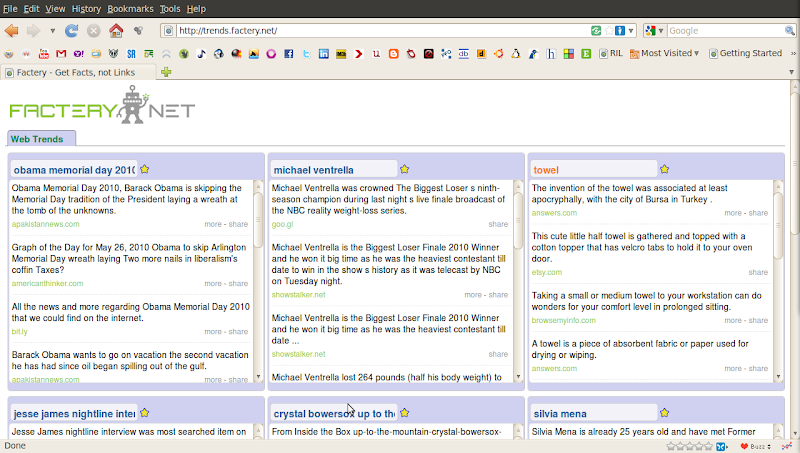 m various sites like Wikipedia, NYTimes, Amazon, etc. It has a big box on the left where you can do general searches. It also has 9 smaller boxes which are basically used to mark as favourites, so that you can track them. While you mark some as favourites, the other boxes refresh their contents with new topics. You can read the whole story of each of the results and you can also share this on Twitter and Facebook. FacteryLabs has different categories like Trends, Sports, Tech, etc. so you can check the stuff related to that category.
m various sites like Wikipedia, NYTimes, Amazon, etc. It has a big box on the left where you can do general searches. It also has 9 smaller boxes which are basically used to mark as favourites, so that you can track them. While you mark some as favourites, the other boxes refresh their contents with new topics. You can read the whole story of each of the results and you can also share this on Twitter and Facebook. FacteryLabs has different categories like Trends, Sports, Tech, etc. so you can check the stuff related to that category.
Convert a Webpage into a PDF
As I browse through a lot of sites everyday I come across som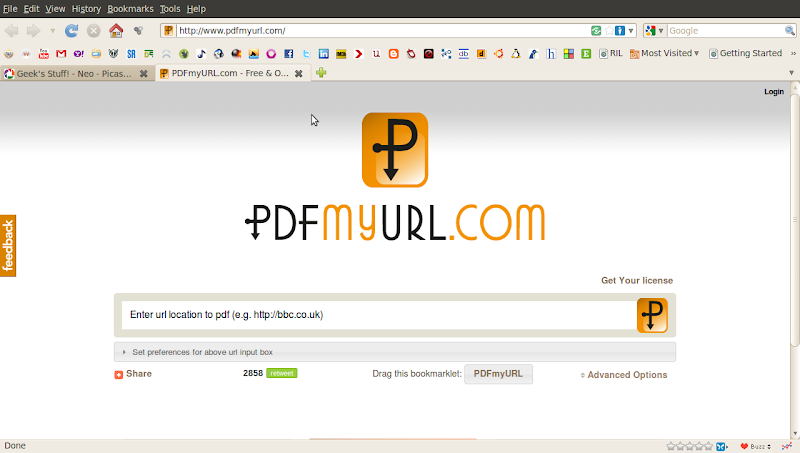 e very interesting articles, some of which I want to save for future use. Some articles like interviews, how-to's, etc. are always worth many reads. Or probably you don't have access to the internet all the time. Well, I rather like reading a PDF than a webpage. So I came across this site which converts a URL to a PDF. PdfMyUrl is a dead simple tool which converts a webpage into a pdf file and downloads it to your system with just a click of a button. You can also try a similar site called Pdfonfly. But I find PdfMyUrl much simpler.
e very interesting articles, some of which I want to save for future use. Some articles like interviews, how-to's, etc. are always worth many reads. Or probably you don't have access to the internet all the time. Well, I rather like reading a PDF than a webpage. So I came across this site which converts a URL to a PDF. PdfMyUrl is a dead simple tool which converts a webpage into a pdf file and downloads it to your system with just a click of a button. You can also try a similar site called Pdfonfly. But I find PdfMyUrl much simpler.
Real-time Search from multiple websites with Soovle
We all use search engines everyday. We use Google for almost 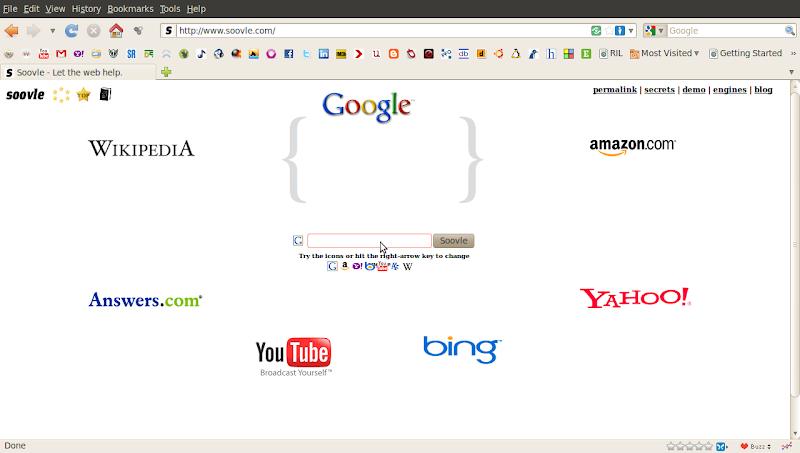 everything. I don't know how many use Bing. I'm quite sure nobody uses Yahoo. We use Wikipedia for information regarding various topics, history, concepts, etc., Youtube for videos, movie clips and stuff. Some use Amazon for books and shopping. Now what if all these search engines combined to one and gave the results? And what if this search happens real-time? That's what Soovle does. Soovle is a search which has 7 different search engines clubbed together. The search engine logos reside around a central search box. As a search query is typed, a real-time search begins on each of these search engines and the results are displayed.
everything. I don't know how many use Bing. I'm quite sure nobody uses Yahoo. We use Wikipedia for information regarding various topics, history, concepts, etc., Youtube for videos, movie clips and stuff. Some use Amazon for books and shopping. Now what if all these search engines combined to one and gave the results? And what if this search happens real-time? That's what Soovle does. Soovle is a search which has 7 different search engines clubbed together. The search engine logos reside around a central search box. As a search query is typed, a real-time search begins on each of these search engines and the results are displayed.
Set Beautiful Custom Google Homepages with Homeoogle and Favoorit
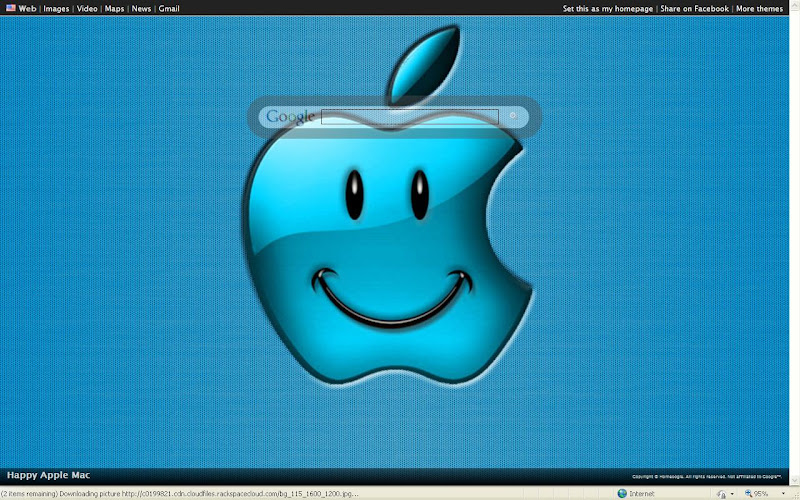
Bored with the plain old white color Google Homepage? Now you can customize this page with some AWESOME backgrounds. Homeoogle is the site which lets you customize your google homepage. The site has some beautiful backgrounds and you can set them as your homepage. And in case you don't find what you are looking for, then you can request it. So choose your background and beautify your homepage.

While Homeoogle does this, Favoorit takes a step further. Favoorit not only offers you a wide variety of beautiful, elegant Google homepages like Homeoogle, but also lets you create custom themes. Along with this, you can also set a list of your favorite sites on your homepage.
Online Compilers

Ever had a code but no compiler to compile it? Well, it may so happen that sometimes we get a piece of code which we want to try out but we don't have the respective compiler installed in our system. This may be because we are at workplace or browsing centre or any such place where we either have restricted access to install the compilers or we're too lazy to install.
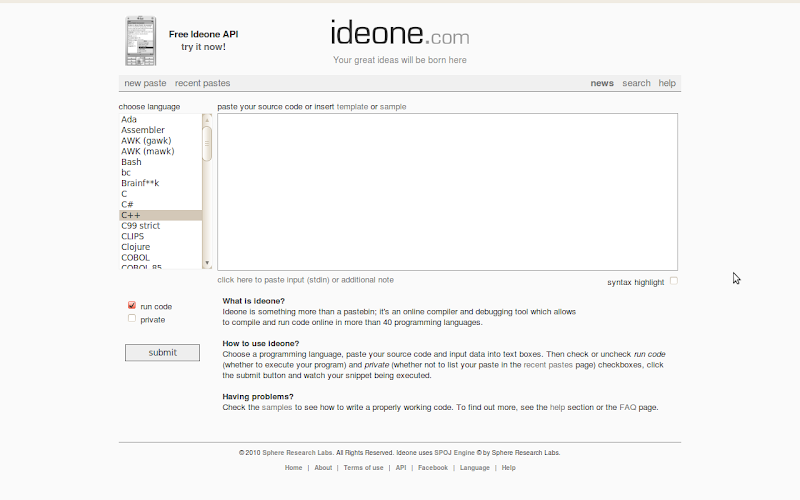
Anyway, IdeOne is one such website that you can use for compiling a code. It supports a hell lot of languages and you can compile them online and view the output. No hassles; all you need to do is paste the piece of code in the text box and click on Run. You'll get the output. Codepad is another site with similar functionality, but the difference is that Codepad doesn't support as many languages as IdeOne does.
FeedSquare for Google chrome

These days i'm using more of google chrome than any other browser.
I'm a regular user of google Reader. Today i came across an extension in google chrome which provides you with a new artistic user interface for your google reader.Once you install this your google reader can be viewed in a beautifully arranged colorful squares like the screen shot i have attached.Some of the feed posts will also have an image preview.The best feature of this, which i liked is the categories on your google reader are listed horizontally above all the squares.If you click on one of the category, only the feeds or squares belonging to the category will highlight itself.Once you click on the feeds that you wanna read. The feeds from that website will show up horizontally arranged below.You can choose to read anyone of them or there are options to mark them all read.
You can also read all your buddies shared items,tag them etc. You can share items, you can change the background look from the option on the below right corner of the page. Currently you can choose either light or dark background.
This gives you a new refreshing look for the old plain list like look of the google reader.The link is feedsquare. why dont you give it a try.
Read it Later with Instapaper
We come across several articles as we browse through different sites everyday. Some of the articles may be interesting, but we may not find time to read it then and there. Saving the web pages is one option. But that would ad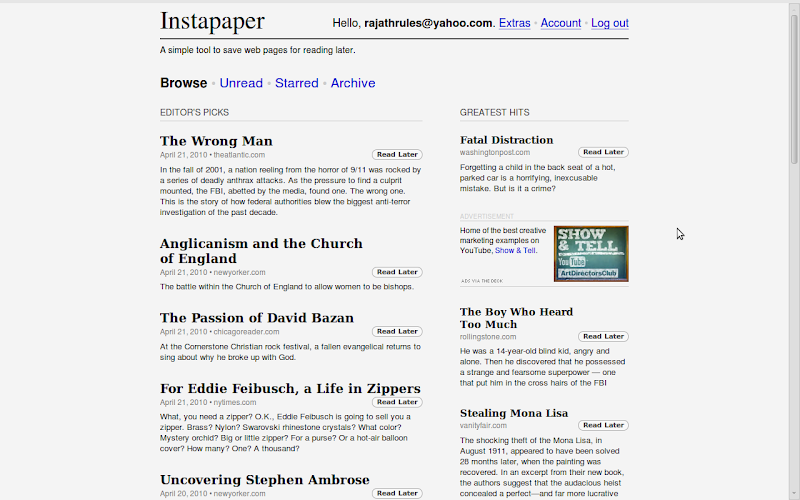 d to the clutter in your system. You can instead use Instapaper wherein you can store the links you want to view later. Once the links that you've stored here are visited, they're removed from the list of unread items. However, none of the links are lost, you can find them in the archive folder. There's also an option to view the articles in a plain text format. Instapaper has a dead simple interface and it helps you manage your unread articles in an easier and a much better way.
d to the clutter in your system. You can instead use Instapaper wherein you can store the links you want to view later. Once the links that you've stored here are visited, they're removed from the list of unread items. However, none of the links are lost, you can find them in the archive folder. There's also an option to view the articles in a plain text format. Instapaper has a dead simple interface and it helps you manage your unread articles in an easier and a much better way.
Embedded Translator in Chrome
I'm starting to like Google Chrome these days...Today i discovered a new feature of Google chrome.. thats the embedded Google Translator which is available with the latest version of chrome browser.
Whenever you load a page which is not in the default language of the browser,a little bar will popup in the top of the browser just below the tab-bar in the window.
This will ask you for translating the current page in view to the default language.. it also shows to you, the language which the page is in.
Why dont you try it yourself .. http://www.desorganizadosanonimos.com/post/Organizacao-Total-Categorizacao-Pessoal.aspx. Click on the above link in your chrome browser.
If you are multilingual and you wanna read the text in its original scripts .. then you can disable the auto translator.
Disabling the translation bar:
- Select the Tools
 menu
menu - Select Options
- Select Under the Hood tab
- Uncheck the Offer to translate pages that aren't in the language i read checkbox

This will completely disable the autotranslate feature.
But there are other options. When you open other language pages.. from the options on the translate bar you can choose Never to translate the site or Never to translate the language. So next time you visit this site, the browser wont offer to translate the page.
6 Social Networking Extensions for Google Chrome
Chrome is an open source browser released by the internet giant Google in 2008.From the Netscape to this day the browsers have always played a vital role in the way to access the web. Browser has mostly been the integral component or a gateway to the world of internet .
With IE, Mozilla Firefox, Thunderbird, Opera and many more running in the race, the chrome has made its own mark in the user arena. With its most simplistic User interface and the minimal number of options and with my own experience i would like to say, chrome has evolved to be one of the fastest browsers today.
Social networking is an integral part of todays individual who are affiliated to the internet. It may be to keep in touch with your school friend or discussing the hot topics happening around or planning a new project or a party at your college its all happening on the networking sites.You decide which movie to go on the weekend, decide which book to read, discuss sports, current affairs etc... Social networks are the platform to express oneself and present it to the world in the way you want it to be.
Even though i'm a hardcore fan of Mozilla, i started using chrome. Mozilla has millions of plugins, which can be installed with the browser and with just a click, i can access all my friends updates on the social network sites..
Similarly in chrome there are extensions for few of my favorite networking sites...Let me start with the extension for
The extensi on called Facebook for chrome is just the thing i was looking for.I can directly access my wall, friends updates, other notifications.Just go to the link above and click on install and its done.. You dont have to restart the browser like in Mozilla which requires a restart after installing a plugin.
on called Facebook for chrome is just the thing i was looking for.I can directly access my wall, friends updates, other notifications.Just go to the link above and click on install and its done.. You dont have to restart the browser like in Mozilla which requires a restart after installing a plugin.'Myspace-A place for friends' being the seco nd in the race of social networks, the chrome extension alsois titled Myspace for chrome.This allows me to access to my profile, mail inbox, my pictures, friends status etc.
nd in the race of social networks, the chrome extension alsois titled Myspace for chrome.This allows me to access to my profile, mail inbox, my pictures, friends status etc.LinkedIn is the bu siness social networking site. Here you can find the CEO's of biggest firms to the employee of a small organization. You can actually recommend people for a job, upload your education details, work experiences etc.The extension available for chrome doesn't allow you to do all of the above.. but it can help you to be updated with the news on linkedIn.You don't have to be logged in to check the updates..rather you just have to fill in the feed URL for your profile and it will get the feed whenever there is an update.
siness social networking site. Here you can find the CEO's of biggest firms to the employee of a small organization. You can actually recommend people for a job, upload your education details, work experiences etc.The extension available for chrome doesn't allow you to do all of the above.. but it can help you to be updated with the news on linkedIn.You don't have to be logged in to check the updates..rather you just have to fill in the feed URL for your profile and it will get the feed whenever there is an update. Orkut is similar t o the social networking sites like facebook and myspace. you can add your friends and share your pictures etc.The chrome extension for ORKUT can give you access to your scraps, videos, pictures etc with just a click.
o the social networking sites like facebook and myspace. you can add your friends and share your pictures etc.The chrome extension for ORKUT can give you access to your scraps, videos, pictures etc with just a click.
Even though Twitter cannot be claimed as a complete social networking site, but you can share you ideas with your followers in a message of just 180 characters.This is just the right place to share your links and other messages which you want your followers to know. With the name Chromed Bird the extension allows you to tweet, read your friends tweets, reply or share or retweet the same.

With all the Buzz happening around social networks, Google didn't wanna be left behind and hence they buzzed off with this new twitterlike application which comes with your gmail. This is again the place where you can actually send in messages to your Friends and share links.And with chrome buzz you can read the buzzing from your friends.. but i couldn't find a way to buzz back to my friends...The only disadvantage is you need to have a gmail account to get access to google buzz. So this one is only for the Google community.
With all the above extensions installed on my chrome browser, i can access my friends with just a single click and update them about anything i want to say or anything interesting happening around.The best thing i like about the extensions in chrome is that it doesn't require a browser restart unlike in Mozilla where it asks for the restart whenever you install a plugin.
Share like a Shareaholic

The title says it all. Shareaholic is a browser addon that lets you share the sites/links you visit over a hundred different social networking and social bookmarking sites like Twitter, Facebook, Tumblr, Delicious, Reddit, Digg, Instapaper, etc. Sharing over so many networks with just a click of a button. You can customize the addon to get the button in the navigation toolbar, URL bar or in the context menu. It also has a Buzz button on the status bar which gives the current news, videos and blogs happening on the real time web that you can easily share on your favourite social networks.
The best part is: this addon basically designed for Firefox is also available for almost all browsers including Internet Explorer, Chrome, Opera, Flock, etc.
The best part is: this addon basically designed for Firefox is also available for almost all browsers including Internet Explorer, Chrome, Opera, Flock, etc.
Download Youtube videos in mp3 format
In my previous post, I talked about downloading videos  from various video streaming sites including Youtube. Here's one way to download mp3 from Youtube videos. Like I said, you can prefix your Youtube URL with the word 'kick'. It takes you to a site where you'll have a lot of formats to download from. One of the formats is mp3. So you can download the mp3 of your favourite video.
from various video streaming sites including Youtube. Here's one way to download mp3 from Youtube videos. Like I said, you can prefix your Youtube URL with the word 'kick'. It takes you to a site where you'll have a lot of formats to download from. One of the formats is mp3. So you can download the mp3 of your favourite video.There's another way to do this. Go to ListenToYoutube and paste the Youtube URL and the site converts the youtube video into corresponding mp3 and gives you the link.
Ways to download videos from Youtube and other video streaming sites
There are lot of tools available to do the job mentioned above. You can use softwares, websites or addons to get the video. I would like to mention a few things to make it easier.
Softwares: Youtube Downloader or Vdownloader are some famous softwares that would help you download streaming videos. There are many other softwares, but I prefer not to use one.
Websites: Keepvid is a good website where you would paste the Youtube URL and you can choose between the mp4 or the flv format of the video to download.
You can also try this:
Prefix the youtube url with the word 'kick'
For example, this www.youtube.com/(something)
becomes, www.kickyoutube.com/(something)
and it'll take you to a page where you can download the video in several different formats like 3gp, mp4, avi, flv, etc.
The options are good, but it works only for Youtube.
Addons: Video DownloadHelper is what I would recommend to download videos from any video sharing site (I assume you're a Firefox user). It's a great addon with lot of options like 'quick download' and 'download and convert', to name a few.
Sites and softwares constrain to only some video streaming sites, not all. So there is still a traditional method of pulling out the videos from cache of your browser.
Windows users:
Goto C:\Documents and Settings\
You can sort the files in the Cache directory in the order of 'Date Modified' or 'Size' to get the video on top. Identify the video and rename it to (something).flv
Linux users:
It's a cakewalk. Allow the video to buffer and goto /tmp directory. You'll find the video there, with the thumbnail image (if the codecs are installed)
Google Chrome OS..."The Future has Arrived"

The Wave of Google chrome is already setting sails in our minds. The Features that are being claimed by the new OS being developed by the Search giant Google, named after its browser chrome are just astonishing.
The announcement made 4 months back was to develop the Operating system that will enhance the way people surf and would allow to embrace the internet in a more easy way than the conventional operating systems. They have announced that chrome OS will have a faster booting ability. It predicts that the time taken for you to start browsing will be almost same as the time needed to switch on your TeleVision. Your internet reachability will be enhanced to this extent, you wont need to start all your programs to get to internet and it means you literally have a booting time of less than 5 seconds. It would be a milestone in the history of the operating systems.
Google said that "It's basically a Web browsing machine"and they added all data in Chrome OS will automatically be stored in the cloud, but also cached on the computer's internal hardware to boost performance. This OS will have to get rid of the usual desktop softwares such as the office suite of Microsoft for its faster performance and when google already have its google docs running online, it think it wont be a difficult task for them to host the applications on the servers and run them based on the requirements of an individual.
And with all the data synched on the cloud, its a winning move for google to conquer the search market and also increase its revenue. With the advent of Chrome OS it would mean that more google searches and more google ads tending to increased revenues and profits.
Google Fast Flip
Everyone who knows to use internet is aware of the term epaper. This is the scanned version of everyday newspaper. Whether it is politics or the sports or a simple column giving a quote in the newspaper... every inch of it is scanned and then posted for online news readers.
The question is whats next after this epaper. This is where the Google fast flip comes handy.
The newspaper scans contain images and text which needs a lot of bandwidth to open up. As everyone knows, not every article in the newspaper is important to everyone. So This google apps called the fast flip, just gives a preview of each headline which actually loads faster.We can actually read the headlines and skip through non-interesting articles. This Apps has partnered with Newyork Times and other newspapers, intially and more details on the google blog.
Its accesible at fastflip.googlelabs.com
Copy PICTURES from friends album on ORKUT
Back again after a long time with some geeky stuff...
This was the time when i was viewing my friends albums on orkut....
And suddenly one day when i tried to copy the picture from his album... there was no menu opening on my right click....
So after that i was not able to copy my favorite pics from my friends albums...I started to think how to get the pic.. for those albums..
One of my friend suggested a breakthrough for this barrier....
I would like to share it here with you folks...
What you need here is just some work to your mouse and no extra software, neither any scripts running in the background..
Step 1: Just open a folder, may be your picture collection folder in your hard drive.
Step2: Just open a browser and login to your orkut account, browse to the picture that you wanna copy... open it in your friends profile....
Step 3: Just hold the left button of the mouse pressed on the picture and drag it to your folder on the task bar..( Just drag and drop the pic to your folder )and drop it into the folder...
Thats it... now the name of the file you just copied is a bit longer than you want..and also with some messy stuffs.. you will have to manually rename it.
Just go on copying all your favourite pics from your friends albums...and enjoy..!!


