Ever had a code but no compiler to compile it? Well, it may so happen that sometimes we get a piece of code which we want to try out but we don't have the respective compiler installed in our system. This may be because we are at workplace or browsing centre or any such place where we either have restricted access to install the compilers or we're too lazy to install.
Anyway,
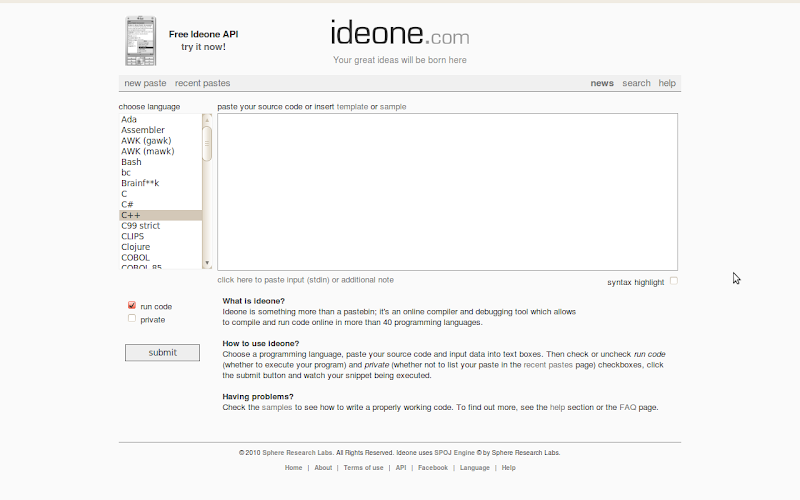
IdeOne is one such website that you can use for compiling a code. It supports a hell lot of languages and you can compile them online and view the output. No hassles; all you need to do is paste the piece of code in the text box and click on Run. You'll get the output.
Codepad is another site with similar functionality, but the difference is that Codepad doesn't support as many languages as IdeOne does.
Read More...
Summary only...

Yes. As you rightly guessed, it's a website created by Bill Gates! After his retirement from Microsoft, Bill Gates thought of sharing with the world, his thoughts and ideas he was working on. And this, as he thought, could be effectively done through a website.
The Gates Notes talks about what Bill Gates is thinking about, what he is learning and other interesting conversations. It is a beautiful site, nicely designed with a lot of information. One of the things that caught my attention is the "Infrequently Asked Questions" section. Here, Bill talks about the Non-Microsoft topics and expresses his views. The best thing I like about this site is that you can mail Bill Gates regarding your queries and he answers. It may also be featured on the website. Never tried it though; but worth a shot.
Read More...
Summary only...

These days i'm using more of google chrome than any other browser.
I'm a regular user of google Reader. Today i came across an extension in google chrome which provides you with a new artistic user interface for your google reader.
Once you install this your google reader can be viewed in a beautifully arranged colorful squares like the screen shot i have attached.Some of the feed posts will also have an image preview.The best feature of this, which i liked is the categories on your google reader are listed horizontally above all the squares.If you click on one of the category, only the feeds or squares belonging to the category will highlight itself.Once you click on the feeds that you wanna read. The feeds from that website will show up horizontally arranged below.You can choose to read anyone of them or there are options to mark them all read.
You can also read all your buddies shared items,tag them etc. You can share items, you can change the background look from the option on the below right corner of the page. Currently you can choose either light or dark background.
This gives you a new refreshing look for the old plain list like look of the google reader.The link is
feedsquare. why dont you give it a try.
Read More...
Summary only...